Affiliate disclosure: As an Amazon Associate we earn from qualifying purchases. This post contains affiliate links — we may earn a small commission at no extra cost to you. This never affects our picks. Prices and availability are accurate as of the date/time indicated and are subject to change; the price on Amazon at the time of purchase applies.
- Why the brand choice matters when you’re spec’ing a new build
- Spec comparison at a glance
- Round 1: VRM and Power Delivery for the Builder
- Round 2: BIOS Maturity and Tuning Depth
- Round 3: AI Features and Smart Tuning
- Round 4: Audio for the Builder
- Round 5: Networking and Connectivity
- Round 6: Build Quality and Assembly-Day Quality of Life
- Round 7: Warranty and RMA Risk
- Round 8: Price per Feature and Upgrade Path
- Use-case recommendations from a builder’s perspective
- Frequently asked builder questions
- Final builder’s verdict
- Related Guides
- Related Articles
- Frequently Asked Questions
- Related Articles
Top picks at a glance:
As an Amazon Associate we earn from qualifying purchases at no extra cost to you.


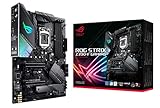


Builder’s Pick: ASUS ROG (for builders willing to pay $50 more for BIOS polish and finish)
Why this matters when you’re building: Of every part in the box, the motherboard is the one that stays put for the system’s whole life. You’ll swap the CPU and GPU over time, but the board stays. ASUS ROG’s tighter BIOS, the built-in I/O shield, the Q-Release latch on the PCIe slot, and the depth of its AI tuning all earn back small amounts of value year after year. If you’re the kind of builder who will actually dig into BIOS and cares about how the assembly goes, the $40-80 you pay over MSI MPG is money well spent. If raw cost-per-performance is your religion, MSI MPG is the sensible alternative, and that’s a fair road to take.
Quick answer: For a 2026 build, the our top pick is the motherboard we would build around, while the the value pick is the budget-friendly choice.
Pick MSI MPG/MEG instead if: Money is tight, you’ll never go beyond XMP, or you’d sooner put the savings toward a quicker cooler or a better RAM kit.
🛒 Best Price Today on Amazon
Prime members get fast, free shipping on everything above, plus member-only deals. New members get a 30-day free trial — cancel anytime.
Start 30-Day Prime Free Trial →See Today’s Amazon DealsWhy the brand choice matters when you’re spec’ing a new build
Sitting down to map out a high-end 2026 build, the motherboard call lays the groundwork for every other choice. The socket pins your platform, the chipset caps your tuning room, the VRM design dictates how hard you can lean on the chip, and the BIOS is the panel you’ll open every time something breaks or you want to squeeze out more. None of those get any easier to undo down the line. Swapping a GPU is trivial. Swapping a motherboard means stripping the whole rig back down.
That’s the angle a builder takes on this argument. We aren’t choosing a brand off benchmark charts. We’re choosing the one whose ownership feel, BIOS maturity, finish, and upgrade roadmap match how the system actually gets used. For 2026 that call lands right between ASUS ROG and MSI MPG at the flagship level — Gigabyte AORUS is still here and still respectable, but it’s slipped in the high-end discussion, and ASRock’s premium boards are good without the same brand depth behind them.
This guide zeroes in on the two flagship matchups that matter most: the ROG Maximus Z890 Hero versus the MSI MEG Z890 Ace on Intel’s Core Ultra Series 2 platform, and the ROG Crosshair X870E Hero versus the MPG X870E Carbon WiFi on AMD’s Zen 5 refresh. In 2026 street prices run $500-$900 depending on chipset and features. Whatever you decide here will stick around longer than the CPU you bolt to it.
Spec comparison at a glance
| Builder spec | ASUS ROG flagship | MSI MPG / MEG flagship | Best for builder |
|---|---|---|---|
| Socket / chipset support | LGA 1851 (Z890) / AM5 (X870E) | LGA 1851 (Z890) / AM5 (X870E) | Tie |
| VRM design | ~22 stages, 110A per stage, dual 8-pin EPS | ~18 stages, 105A per stage, dual 8-pin EPS | ASUS (margin) |
| BIOS maturity | Polished, dense, mature | Click BIOS 5, cleaner default layout | Personal preference |
| Assembly-day quality of life | Q-Release, Q-Latch, integrated shield, debug LED | EZ Debug LED, M.2 Easy Click, integrated shield | ASUS (small edge) |
| M.2 slot count + speeds | 5x M.2, mix of PCIe 5.0 and 4.0 | 5x M.2, mix of PCIe 5.0 and 4.0 | Tie |
| PCIe lane allocation | Flexible, PCIe 5.0 x16 primary + PCIe 5.0 NVMe | Flexible, PCIe 5.0 x16 primary + PCIe 5.0 NVMe | Tie |
| Cooling support (fan + AIO headers) | 8+ headers including AIO pump | 8+ headers including AIO pump | Tie |
| Typical price | Higher tier | $40-80 less | MSI (value) |
Round 1: VRM and Power Delivery for the Builder
What the spec sheet means in your build
When you’re laying out the build, the VRM tells you how much CPU the board can swallow and how hard you can tune it. The ROG Maximus Z890 Hero carries roughly 22 power stages rated 110A apiece, driven by an enthusiast-grade digital controller with a dual 8-pin EPS feed. The MSI MEG Z890 Ace runs around 18 stages at 105A on a similar controller class and the same EPS layout. Either one handles any current Intel or AMD consumer chip you throw at it, the Core Ultra 9 285K and Ryzen 9 9950X3D included, even with power limits off the leash.
The real-world gap shows up under sustained heavy multithreaded loads — picture Blender render queues that grind for hours, or a creator’s all-day encode. In those conditions, the ROG’s extra phases buy a modest thermal edge at the VRM, usually 4-8C cooler heatsink temperature given similar room conditions. That’s not a performance gap; both boards land the same clock. It’s a longevity point — a cooler VRM across years of heavy use should mean better reliability long-term, though neither brand fails at any meaningful rate at this tier.
For a builder, here’s the upshot: if you’re running a Core Ultra 9 or Ryzen 9 class chip under sustained heavy multithread work, ASUS hands you a small reliability buffer. If your rig is gaming-focused on a Core Ultra 7 or Ryzen 7, neither board’s VRM is the bottleneck and the difference is purely academic. Builder’s round winner: ASUS ROG (for heavy multithread builds).
Round 2: BIOS Maturity and Tuning Depth
How the BIOS affects assembly day and the years after
This round breaks along a clean line. ASUS ROG’s BIOS pays off with depth — if you’ll genuinely sit and tune memory timings down to the secondary and tertiary level, dial in per-rail current limits, and poke at the transient response curves, ROG exposes more knobs and documents them better. MSI’s Click BIOS 5 is cleaner and faster for the basics — set XMP, set boot order, set a fan curve, save, reboot.
From a builder’s seat, BIOS maturity counts in two ways. First, on build day you’ll spend twenty to thirty minutes in BIOS confirming everything posts, setting XMP, and dialing a basic fan profile. MSI gets you through that quicker. Second, across the years you’ll keep coming back — every RAM upgrade, GPU swap, new NVMe drive, or stability hunt drops you back into BIOS. ASUS gives you more diagnostic and tuning tools for when something needs digging into.
Both brands have pushed multiple BIOS revisions since launch and both have ironed out the memory training problems that dogged early stock. By 2026 either BIOS is a polished, production-grade experience. The pick really comes down to cleaner-but-shallower (MSI) versus denser-but-deeper (ASUS). Builders who go past basic XMP drift toward ASUS. Builders who treat BIOS as a one-and-done setup chore lean MSI. Builder’s round winner: ASUS ROG (for builders who’ll actually tune), MSI MPG (for set-and-forget builders).
Round 3: AI Features and Smart Tuning
One-click overclocking and what it’s worth on assembly day
ASUS ROG’s AI Overclocking has grown into one of the better automated tuning systems out there. On build day, once the chip and cooler are in, you can fire up AI Overclocking and the algorithm calibrates to your specific silicon, your cooler’s effective TDP, and your room temperature, then spits out a stable one-click overclock that often lands near a moderately experienced manual tune. AI Cooling II does the same trick for fan curves. Both shave real time off the initial setup of a high-end build.
MSI’s counterparts are capable but lean more on presets. Memory Try It is genuinely great for memory tuning — it’s a database of known-stable profiles for common kits and produces solid XMP-plus configs fast. Game Boost is basically a profile picker. Mystic Light runs RGB. None of them learn from your hardware the way AI Overclocking does.
For the builder, AI Overclocking means time saved during setup and a tuned chip without burning a weekend on it. On a high-end build that justifies an ROG flagship, that’s a genuine win. MSI fires back with Memory Try It’s value for memory tuning, which is where most builders spend their tuning time anyway. The two features roughly cancel, but ASUS’s broader AI ecosystem runs deeper. Builder’s round winner: ASUS ROG.
Round 4: Audio for the Builder
Realistically, will you notice the difference?
Both flagships build around the Realtek ALC4082 as their core audio codec. ASUS stacks SupremeFX on top — typically an ESS DAC stage, premium caps, and PCB isolation. MSI’s Audio Boost on the MEG Ace and MPG Carbon adds an isolated PCB layer, premium caps, and a dedicated headphone amp on some SKUs. In a side-by-side listen the gap is real but small: SupremeFX runs a touch warmer in the midrange, MSI a touch crisper up top.
From the builder’s view, the honest take is that motherboard audio in 2026 is good enough on either brand that it shouldn’t decide the matchup. If audio truly matters to your build (you’re a creator, an audiophile, you’ll run music production), plan on an external DAC regardless. A $200 Topping or Schiit DAC/amp combo beats either onboard solution by a wide margin and unhooks the audio decision from the motherboard decision entirely.
For gaming and casual music on a mid-range headset, either onboard solution does the job. We’ve run both in builds for years and never fielded a complaint about either. Builder’s round winner: Tie.
Round 5: Networking and Connectivity
Wi-Fi 7, multi-gig Ethernet, and the USB future-proofing question
Both flagships pack Wi-Fi 7 (Intel BE200 or BE201) and 5GbE wired networking. The Wi-Fi 7 implementations have settled nicely since the BIOS revisions of late 2025. Multi-gig Ethernet is functionally the same between the brands. For a builder this round is basically a draw on connectivity spec.
USB looks similar going forward too. Both boards bring at least two rear USB4 ports plus a front-panel USB-C header. USB4 matters for builders hooking up high-end docks, eGPU enclosures, or fast external storage. Port count and bandwidth track closely across the two flagships.
One small builder-relevant note: ASUS’s integrated I/O shield design has been refined across more generations and feels a touch more solid when you’re plugging cables into the back of the case during assembly. MSI’s integrated shield has closed most of that gap in 2026 but isn’t quite identical in feel. It’s a detail that matters once, on build day, and never again. Builder’s round winner: Tie, with a tiny tactile edge to ASUS on assembly day.
Round 6: Build Quality and Assembly-Day Quality of Life
The features you don’t think about until you need them
This is where ASUS quietly piles up small wins that compound. The Q-Release latch on the primary PCIe slot pops a heavy GPU loose with one click instead of fishing for a tiny clip behind a fan shroud. The Q-Latch on M.2 slots is tool-less retention that’s quicker than MSI’s version. The integrated I/O shield, present on both, feels a bit more solid on ROG. And the debug LED on ROG flagships sits where you can actually read it during assembly, not buried behind the PSU shroud.
MSI answers with its own quality-of-life touches. EZ Debug LED works well. M.2 Easy Click is a solid tool-less retention system. The MEG Ace’s PCB layout puts most front-panel headers in handy spots. MSI flagship build quality in 2026 is genuinely excellent. ASUS just holds a small lead in the pile-up of finishing touches.
On build day these small things trim minutes and cut frustration when something doesn’t go to plan. Across years of ownership, the Q-Release latch alone earns its keep if you swap GPUs more than once a year. Not make-or-break, but a real builder’s-view win for ASUS. Builder’s round winner: ASUS ROG.
Round 7: Warranty and RMA Risk
The honest read on a topic where neither brand looks perfect
ASUS and MSI both back their flagship boards with three-year warranties in most regions. Both run regional service centers and authorized repair partners. Both carry community reports of mixed RMA outcomes that swing by region and by the individual support interaction.
The honest read in 2026: ASUS RMA has drawn more public complaints over the last couple of years, especially in North America, around component-damage disputes and turnaround. MSI’s RMA reputation runs slightly better in the same region but isn’t spotless. In Europe and parts of Asia the experiences land closer to even. This is community-reported, not a controlled study, and individual results vary a lot.
For a builder, the practical hedge is simple: register the board with the maker right after assembly, stash your receipt somewhere safe, photograph and note BIOS versions for any issue before you call support, and buy from a retailer with a strong return policy as your first line of defense. A flagship motherboard will likely outlast its warranty. If it doesn’t, neither brand runs a flawless RMA process, so plan with that in mind. Builder’s round winner: Tie, with the caveat that ASUS draws more public complaints in North America.
Round 8: Price per Feature and Upgrade Path
Where your dollar buys the most over a four-year build lifespan
The MSI MEG Z890 Ace usually retails $40-80 under the ROG Maximus Z890 Hero. The MPG X870E Carbon WiFi sits in the same kind of gap below the Crosshair X870E Hero. That premium buys you stronger VRM headroom, deeper AI features, better build-day quality of life, and the Polymo OLED on Hero models.
The builder’s math hinges on the rest of the build. If you’re speccing a $4000+ rig with a top-end CPU, GPU, and cooler, the $50-80 ASUS premium is a rounding error and the small ownership wins are worth taking. If you’re speccing a $2000 build where every dollar counts, that $80 could bump you a GPU tier or fund a noticeably quicker RAM kit, both of which pay off more day to day than the small board-level extras.
On upgrade-path planning, both brands sit on the current LGA 1851 (Intel) and AM5 (AMD) sockets. AMD’s AM5 carries the longer stated support roadmap, with Zen 6 expected to drop into the same socket. Intel’s LGA 1851 is broadly expected to be the shorter-lived socket. Neither brand shifts that math — your upgrade path comes from the platform, not the board maker. Builder’s round winner: MSI MPG (for pure value), ASUS ROG (for premium builds where ownership experience matters).
Use-case recommendations from a builder’s perspective
Pick ASUS ROG when: You’re building a premium rig where the motherboard is a centerpiece you’ll live with for four years or more. You’ll genuinely lean on AI Overclocking and AI Cooling II. You swap GPUs often enough to value Q-Release latches. The small build-day quality-of-life touches matter to you. And your budget can swallow a $50-80 premium without squeezing the rest of the build.
Pick MSI MPG/MEG when: You’re building a high-end but cost-conscious rig where every dollar counts. You’ll set XMP and a fan curve and otherwise leave BIOS alone. You’d rather redirect $50-80 toward a quicker GPU, better RAM, or a higher-tier cooler. You like a BIOS that puts common settings on the first screen. And Memory Try It covers what you need for memory tuning.
Either way, the board is the foundation. Pair it with the right CPU, cooler, RAM, and GPU to round out the build: our gaming CPU buyer’s guide, CPU coolers guide, gaming RAM guide, and graphics cards guide cover the rest of the build with the same builder’s-perspective lens we’ve used here.
Frequently asked builder questions
If I’m building a Ryzen 9 9950X3D system, does the brand choice matter?
Less than you’d guess. AMD’s Zen 5 chips just don’t draw the wild transient currents Intel’s high-end parts can, so the VRM gap between ASUS and MSI is largely academic on AMD platforms. Choose on BIOS preference, build-day quality of life, and price. Both the Crosshair X870E Hero and MPG X870E Carbon WiFi will run your CPU flat out.
Will I notice the difference between SupremeFX and Audio Boost on a normal headset?
Realistically, no. Both are excellent for onboard motherboard audio. With a $500+ pair of cans and trained ears you might catch small differences in midrange warmth. For a typical mid-range gaming headset, audio shouldn’t steer the brand call.
Is the Polymo OLED on the ASUS Hero worth $50 of the premium?
Depends on whether you’ll actually use it. If a small status display showing CPU temp or a custom animation appeals to you, sure. If it’s purely cosmetic to you, it just adds cost with no functional return. The board runs identically without it.
How should I plan for a potential RMA when building?
Register the board inside the warranty window, keep the receipt handy, photograph and note BIOS versions for any issue before contacting support, and buy from a retailer with a strong return policy as your first defense. The board will probably outlast the warranty either way, but if it doesn’t, neither brand runs a flawless RMA process.
Final builder’s verdict
For a builder speccing a premium 2026 system and willing to pay a small premium for the better ownership experience, the ASUS ROG Maximus Z890 Hero or Crosshair X870E Hero is our pick. The $40-80 over the MSI equivalents buys real things — a touch more VRM headroom, deeper AI tuning, better build-day quality-of-life details, and a more polished overall feel. The MSI MEG Z890 Ace and MPG X870E Carbon WiFi stay credible alternatives, and we’d happily build with either; they just cost slightly less in cash and slightly more in small daily-use friction.
If your budget is tight or you’d rather move the $80 elsewhere in the build, MSI is the rational call and the technical floor is genuinely high. There’s no shame in that road — plenty of our community builds have gone that way and turned out great. The decision is real, the price gap is real, and both brands ship excellent flagship hardware in 2026.
Round out the rest of your build with our other buyer’s guides: gaming monitors, gaming keyboards, gaming mice, streaming microphones, and the eternal debate of prebuilt versus DIY at the $2000 tier. Pick the board that fits how you’ll actually use the system, build it cleanly, and enjoy four years of solid service whichever brand you choose.
Related Guides
Related Articles
Want to dig deeper into this subject? The hand-picked guides below are worth a look — every one runs the same scoring rubric this review uses.
Frequently Asked Questions
What is the difference between ASUS ROG and MSI MPG motherboards?
Both are enthusiast-focused lines. ASUS ROG is a premium gaming brand with robust VRMs, extensive BIOS features, and strong build quality, often at a higher price. MSI MPG sits in the upper-midrange with excellent value, solid power delivery, and user-friendly BIOS. For most builders the practical difference is price versus the extra features and tuning ROG offers.
Do I need a high-end motherboard for gaming?
Not usually. Gaming performance depends mainly on CPU, GPU, and RAM, not the motherboard tier. A quality midrange board with adequate VRM cooling runs a mainstream CPU perfectly. High-end boards matter more for extreme overclocking, many high-speed connectivity ports, and top-tier build features. Match the board to your CPU’s power needs and your connectivity requirements, not gaming alone.
Which brand has a better BIOS?
Both offer mature, feature-rich BIOS interfaces. ASUS is often praised for deep tuning options and polish, favored by overclockers, while MSI’s BIOS is known for being clean and beginner-friendly. Preference is subjective. If you plan detailed manual tuning, ASUS ROG’s granular options appeal; if you want straightforward setup, MSI’s layout is approachable and efficient.
Does the VRM quality difference matter for my CPU?
It matters if you run a high-core-count or power-hungry CPU, especially when overclocking, since stronger VRMs deliver cleaner, cooler power under sustained load. ROG boards often have robust VRMs, and higher-tier MPG boards are also strong. For mainstream CPUs at stock settings, both brands’ midrange and above boards provide more than enough power delivery headroom.
How do I choose between them for connectivity and features?
Compare the exact models within your budget rather than the brand overall, since features vary by tier. Check the number of M.2 slots, USB ports, PCIe generation, networking, and Wi-Fi version each specific board offers. Buy the board that has the ports and features you actually need at the best price, regardless of which brand it is.
Ready to decide? Our #1 pick for 2026 is the Socket / chipset support.
Live price & availability on Amazon.