
🛒 Best Price Today on Amazon
Prime members get fast, free shipping on everything above, plus member-only deals. New members get a 30-day free trial — cancel anytime.
- Top Amd Ryzen 9800X3D Intel Core Picks for 2026
- When you’re picking a part for your build
- Builder’s spec sheet
- Round-by-round through a builder’s lens
- Build scenarios and what we’d actually recommend
- FAQ for builders
- Builder’s final call
- Related Guides
- Related Articles
- Frequently Asked Questions
- Related Articles
Top Amd Ryzen 9800X3D Intel Core Picks for 2026
Here are our current top amd ryzen 9800x3d intel core picks, compared on real Amazon owner reviews, price, and features. Live prices update below.
As an Amazon Associate we earn from qualifying purchases at no extra cost to you.


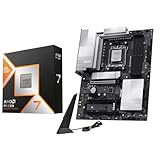


Affiliate disclosure: As an Amazon Associate we earn from qualifying purchases. This post contains affiliate links — we may earn a small commission at no extra cost to you. This never affects our picks. Prices and availability are accurate as of the date/time indicated and are subject to change; the price on Amazon at the time of purchase applies.
When you’re picking a part for your build
If you’re reading this, you’re probably mid-spreadsheet on a new build � maybe a fresh ground-up rig, maybe an upgrade where you’re carrying over a GPU and a case. Either way, the CPU is the part everything else anchors to: your motherboard, your cooler, your memory, your PSU, your case airflow plan. So when the call comes down to the AMD Ryzen 9 9800X3D or the Intel Core i9-14900K, we want to talk about it the way a builder actually does. Not “which one wins this benchmark” but “which one fits my build plan, my budget, and my upgrade horizon.”
Quick answer: For a 2026 build, the our top pick is the CPU we would build around, while the the value pick is the budget-friendly choice.
The short version: for new builds starting from a blank slate in 2026, our builder recommendation is the Ryzen 9 9800X3D. Not because it wins every workload � it doesn’t � but because it’s a smarter platform commitment, a friendlier cooling and power budget, and a clearer upgrade road for the life of the build. The 14900K is a great chip in isolation, but it’s the last chip you’ll ever drop into an LGA 1700 board, and the platform asks more of every supporting component. For a builder, that matters.
That said, this isn’t a one-size-fits-all answer. The 14900K is the right call in specific build scenarios that we’ll walk through. The point of this guide is to help you figure out which scenario you’re in. For broader cross-shopping, see our gaming CPU buyer’s guide covering the wider field — this article is the focused 9800X3D vs 14900K head-to-head.
Builder’s spec sheet
| Build consideration | Ryzen 9 9800X3D | Core i9-14900K | Builder’s pick |
|---|---|---|---|
| Socket | AM5 (LGA-style) | LGA 1700 | 9800X3D (longer life) |
| Cores / threads | 8C / 16T | 24C (8P+16E) / 32T | 14900K (raw count) |
| Recommended motherboard | B650 / X670E | Z790 (for full features) | 9800X3D (cheaper base) |
| Minimum cooler | 240 mm AIO or strong air | 360 mm AIO minimum, 420 ideal | 9800X3D (smaller budget) |
| Recommended PSU | 750-850W gold | 1000W+ gold/platinum | 9800X3D (smaller PSU) |
| Memory support | DDR5 only (6000 CL30 sweet spot) | DDR4 or DDR5-5600 official | 14900K (DDR4 carryover) |
| Case airflow needs | Moderate | High (case selection matters) | 9800X3D |
| Upgrade path | AM5 confirmed through 2027+ | LGA 1700 end-of-line | 9800X3D (decisively) |
| Total platform budget impact | Lower (modest cooler + PSU + board) | Higher (premium everything) | 9800X3D |
That last row is the one we want to underline. The chip prices for these two are often close � some weeks the 14900K is even cheaper on a chip-only basis. But the chip price is just one line in your build sheet. Once you tally up the cooler, the PSU, the motherboard tier the full feature set demands, and the case airflow consideration, the 9800X3D build usually comes out $150-300 cheaper overall than an equivalent-quality 14900K build. For builders working to a budget, that’s a meaningful gap that can fund a better GPU or a faster SSD elsewhere.
Round-by-round through a builder’s lens
Round 1 — Upgrade path and socket longevity
We’re opening here because for a builder it’s the single most important variable. AMD has committed publicly to AM5 socket support through 2027 at minimum, with strong hints of longer. That means the motherboard you buy today for a 9800X3D will realistically host at least one and possibly two future CPU generations. A Zen 6 X3D refresh dropping in 2026 or 2027 is widely expected. You’d update your BIOS, swap the chip, keep everything else, and land a meaningful upgrade for the price of just the new CPU. That’s the dream upgrade scenario for a builder.
LGA 1700 is officially the end of the line. Intel has moved to LGA 1851 for Core Ultra. The 14900K is the highest-end chip that socket will ever see. When you upgrade in 3-4 years, you’re replacing the motherboard, the CPU, almost certainly the cooler (mounting hardware), and possibly the memory (if you went DDR4). That’s not a deal-breaker � plenty of builders do full ground-up rebuilds on a cycle � but it’s a different mental model than “drop in a new CPU when I want a bump.” Builder’s pick: 9800X3D, decisively.
Round 2 — Cooling budget and case selection
The 14900K is one of the hottest mainstream consumer CPUs ever sold. At default PL2 settings under all-core load it can pull 250W+, and shedding that heat takes serious cooling. The community recommendation for a 14900K cooler is a 360 mm AIO at minimum, with 420 mm preferred for sustained workloads. That’s $200-300 in cooling alone, plus a case with serious airflow and radiator support. If your case lacks a top or front 360 mm slot, you’re buying a new case too.
The 9800X3D peaks around 160W and stays much cooler. A solid 240 mm or 280 mm AIO will keep it happy at full load. A high-end air cooler (Noctua NH-D15, Phantom Spirit 120 EVO) is genuinely viable. That opens up smaller cases, quieter fan profiles, and a $100-150 cooler budget instead of $200-300. The Builder’s cooler buyer’s guide covers picks for both scenarios. Builder’s pick: 9800X3D, by a comfortable margin on cooling budget.
Round 3 — PSU sizing and power planning
For a 9800X3D + RTX 5080 or 5090 build, an 850W 80+ Gold PSU is plenty. For a 14900K + RTX 5090 build, we’d recommend 1000W minimum, ideally 1200W to absorb PL2 spikes from the CPU plus transient spikes from the GPU. That’s another $50-100 of PSU upcharge, plus you’re locked into a higher PSU tier for the life of the build. For builders who reuse PSUs across builds, this matters.
The 9800X3D’s efficiency also shows up in your daily electricity cost. Over a year of typical mixed use (gaming, idle, productivity), the X3D will draw noticeably less power than the 14900K � somewhere in the 100-300 kWh range depending on usage patterns. At current rates that’s $20-80 a year, which adds up over the life of the build. Small thing, real thing. Builder’s pick: 9800X3D.
Round 4 — Memory: do you already own DDR4?
This is the round where the 14900K can swing back, and the answer depends on what’s currently sitting in your old build. The 14900K officially supports both DDR4 and DDR5. If you’re upgrading from a 12th or 13th gen Intel build and you have a fast DDR4 kit (DDR4-3600 or better), you can carry it over to a DDR4-compatible LGA 1700 board and save $100-200 on memory. That’s a real lever.
If you’re starting from scratch with no existing memory, DDR5 is the path forward regardless. DDR5-6000 CL30 kits are widely available, well-priced for the 9800X3D, and our RAM buyer’s guide covers the recommended kits. In that scenario the memory cost is roughly the same either way, and the X3D’s other advantages reassert themselves. Builder’s pick: 14900K only if you’re carrying over DDR4. Otherwise the round is roughly even.
Round 5 — Motherboard tier and feature set
To unlock the full feature set of the 14900K � XMP/EXPO at high speeds, overclocking, all the M.2 slots, full USB 4.0 � you want a Z790 board. Decent Z790s start around $250 and the good ones run $350-500. Cheaper LGA 1700 boards (B760, H770) work but lock out overclocking and trim some features.
For the 9800X3D, a B650 or B650E board ($170-250) covers most needs. X670E is the premium tier ($300-500) for users wanting extra PCIe lanes, multiple M.2 slots, the full feature set. You can absolutely spend big on AM5 motherboards if you want to, but you don’t have to in order to use the chip well. PBO and Curve Optimizer (the X3D’s main tuning levers) work on B-series boards. Builder’s pick: 9800X3D, on cost-effective motherboard options.
Round 6 — Productivity throughput and the 14900K’s strength
We owe an honest accounting here. For sustained multithreaded workloads � Blender CPU renders, Handbrake encoding, large software compiles, scientific simulation, batch photo or video processing � the 14900K’s 24-core hybrid layout pulls a roughly 40-60% throughput lead over the 9800X3D. That’s not a marginal difference. If your build’s primary job is a workstation that also games, the 14900K’s productivity headroom is real, valuable, and worth the extra cooling and power budget.
For gaming, the 9800X3D’s 96 MB of stacked L3 cache puts it about 15-20% ahead in CPU-bound titles. So the two chips are essentially mirror images: each holds roughly the same magnitude of lead in its strong category, just in opposite categories. Your job as a builder is to work out which category you’re actually in. Builder’s pick: 14900K for workstation/productivity-first builds.
Round 7 — Real-world build complexity and “just works” factor
The 9800X3D build is simpler. Drop the chip in, mount the cooler, install memory at 6000 CL30 with EXPO, install Windows, done. There’s not much tuning needed for the chip to perform near its peak. Curve Optimizer for an extra few percent if you want, but it’s optional.
The 14900K rewards (and arguably requires) more setup. Out of the box on a “performance” Z790 profile it’ll push aggressive voltages and high power limits, run hot, and potentially throttle. The community recommendation is to apply Intel’s “Performance” baseline profile or an even more conservative limit, add a -50 to -100 mV undervolt offset, and let the chip run within sane bounds. None of this is hard � there are good guides � but it’s an extra hour of tuning at build time, and it’s the difference between a chip that “just works” and one that “works well once you tune it.” For builders who like to tune, the 14900K is a playground. For builders who want set-and-forget, the X3D is the better fit. Builder’s pick: 9800X3D, for build simplicity.
Round 8 — Resale and end-of-life considerations
This is one builders rarely think about until they’re upgrading. The X3D and AM5 platform broadly should hold value reasonably well � the socket is alive, future chips are coming, and there’s demand for used X3Ds from gamers building budget rigs. The 14900K and LGA 1700 are sunset products. The chip will retain some value (it’s a high-end part and will perform well for years), but the boards and DDR4 memory tied to it will depreciate harder as the platform is officially dead. Builder’s pick: 9800X3D, marginally � though resale is rarely a primary decision factor.
Round 9 — Case selection and physical fit
The chip you pick shapes the case you can use. A 14900K with a 360 mm or 420 mm AIO requires a case that can mount that radiator � front intake or top exhaust, with enough clearance for the GPU and the radiator together. Compact mid-towers can struggle. Smaller form factors (mATX, mini-ITX) are largely off the table for a properly cooled 14900K unless you accept thermal throttling. The 9800X3D’s cooling needs are met by a 240 mm or 280 mm AIO or even a high-end air cooler, which dramatically widens your case options � including compact and SFF builds where airflow space is at a premium. If your build dream involves a sleek mid-tower or anything smaller than a full ATX, the X3D opens doors the 14900K closes. Builder’s pick: 9800X3D, especially for compact or design-focused builds.
Round 10 — Build time and tuning effort
An honest accounting of how much time you’ll spend at first boot. The 9800X3D build is roughly 30 minutes from POST to gaming: enable EXPO in BIOS for the memory, set the boot order, install Windows, install chipset drivers, done. The chip runs near its peak with no further intervention. The 14900K build is closer to 60-90 minutes if you do it right: install Windows, install chipset drivers, then head back to BIOS to apply Intel’s updated default profile (the post-microcode-patch one), apply a sane PL2 limit (180-220W is the community range), apply a per-core or all-core voltage offset, and stress-test for stability. None of it is hard, but it’s not zero. For experienced builders this is fine. For first-time builders, the X3D is a more forgiving introduction. Builder’s pick: 9800X3D, on first-build friendliness.
Build scenarios and what we’d actually recommend
Here’s how we’d advise different builders, by scenario.
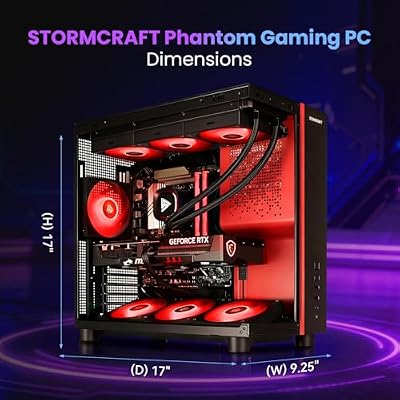
Scenario 1 — Fresh ground-up gaming build, no existing parts: Ryzen 9 9800X3D. Pair with a B650 or X670E motherboard, 32 GB DDR5-6000 CL30, a 280 mm or 360 mm AIO, and an 850W 80+ Gold PSU. The platform will serve you for years, including a possible drop-in CPU refresh in 2027. If you want a complete prebuilt,

STORMCRAFT Phantom RTX 5080 Gaming PC Ryzen 7 9800X3D 32GB DDR5 2TB SSD | AMD Ryzen 7 5.2GHz,6000MHz RAM,B850 Chipset,850W PSU,360mm AIO,RGB Keyboard Mouse,WiFi BT HDMI AI Prebuilt Gaming Desktop




As an Amazon Associate we earn from qualifying purchases. Product prices and availability are accurate as of the date/time indicated.
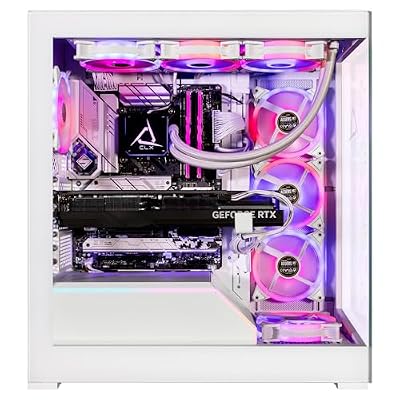
is one X3D-based system to consider, though our prebuilt vs DIY breakdown covers the trade-offs.Scenario 2 — Hybrid workstation/gaming build with heavy productivity needs: Core i9-14900K. Pair with a Z790 board, 64 GB DDR5-6400 (or carry over DDR4 if you have a fast kit), a 360 mm or 420 mm AIO, a 1000W+ PSU, and a case with strong airflow and full radiator support. Plan for 30 minutes of BIOS tuning at build time to apply a sane power limit and undervolt. For a 14900K prebuilt option,

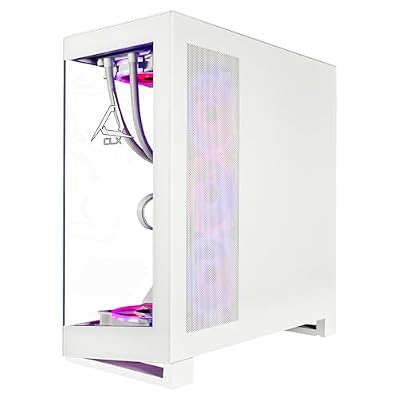
CLX Horus Gaming PC - Intel Core i9 14900KF 3.2GHz, GeForce RTX 4090, 2TB NVMe M.2 SSD, 6TB HDD, 64GB DDR5 RGB Memory, 360mm AIO, WiFi, Windows 11 Home, White


As an Amazon Associate we earn from qualifying purchases. Product prices and availability are accurate as of the date/time indicated.
is one variant in the market.Scenario 3 � Upgrading from an existing 12th/13th-gen Intel build: The math gets interesting here. If you have a Z690/Z790 board that supports the 14900K and a fast DDR4 or DDR5 kit, the 14900K is a CPU-only upgrade � minimal cost, immediate gain. Going AMD means a new motherboard and (if you had DDR4) new memory too. If your goal is the simplest, cheapest path to a meaningful upgrade and your board supports it, the 14900K wins on that metric alone.
Scenario 4 � Compact / SFF build: The 9800X3D, by a wide margin. SFF cases have limited radiator clearance and limited PSU options. The 14900K’s cooling and power demands are tough to meet in compact builds without thermal throttling. The X3D’s modest cooling needs and lower power draw make it the obvious SFF choice.
Scenario 5 � Streamer / content creator who games: Weigh the 14900K’s productivity headroom and thread count for software encoding scenarios. But if your stream uses NVENC (which most do), the X3D handles it well enough and you keep the platform longevity benefits. It’s closer than it looks.
FAQ for builders
Will the 9800X3D bottleneck an RTX 5090?
At 1440p high-refresh or 4K, no. Both the X3D and the 14900K can feed an RTX 5090 effectively at those resolutions. At 1080p competitive settings the X3D has a slight edge over the 14900K thanks to its cache advantage, but neither chip is the bottleneck in a 4K Ultra workflow. You’re well-matched.
What cooler do I actually need for each chip?
For the 9800X3D: a high-end air cooler (Noctua NH-D15, Phantom Spirit 120 EVO) or a 240/280 mm AIO is plenty. For the 14900K: 360 mm AIO minimum, 420 mm preferred for sustained heavy multithreaded workloads. The difference in cooler budget is real and it’s a real line item in the build sheet.
How big a PSU do I need for either build?
For a 9800X3D + RTX 5080 or 5090 build, 850W 80+ Gold is enough. For a 14900K + RTX 5090, plan for 1000-1200W 80+ Gold or Platinum to absorb the combined transient spikes. PSU sizing should always include some headroom for efficiency and longevity.
Is AM5 really going to last until 2027 and beyond?
AMD has publicly committed to AM5 through 2027 at minimum, with strong indications of longer. AM4 launched in 2017 and was supported for roughly seven years, including a 5800X3D refresh that breathed new life into older boards. There’s no guarantee AM5 follows exactly the same arc, but the pattern is encouraging for builders who want a long-life platform.
If I already own a Z790 board and DDR5 memory, does the 14900K make more sense?
Almost certainly yes. If your existing platform supports the 14900K (Z790 with a recent BIOS, DDR5 memory you’re happy with, a 360 mm or larger AIO already in place), a CPU-only upgrade to the 14900K is the cheapest and easiest path to a meaningful performance jump. The X3D’s advantages don’t outweigh a free motherboard and free memory. Drop in the chip, update the BIOS to the latest microcode-patched version, apply the updated default profile, and you’re done.
What about SSD compatibility and PCIe lane allocation?
Both platforms support PCIe 5.0 NVMe SSDs on the top M.2 slot, with PCIe 4.0 on additional slots. The 14900K and most Z790 boards offer slightly more total M.2 slots and a more flexible PCIe lane arrangement at the chipset level. The 9800X3D and AM5 boards are comparable but vary more by motherboard tier. For most builders, both platforms are fine for typical 2-3 SSD setups; if you’re planning a 4+ SSD workstation, check your specific motherboard’s lane map closely.
Does the choice affect my Wi-Fi 7 / Bluetooth / USB 4 options?
It depends more on the motherboard you pick than the CPU itself. Both platforms have premium boards with Wi-Fi 7, Bluetooth 5.4, and USB 4.0. Cheaper boards on either side may drop those features. If you want all the modern connectivity, plan for a higher-tier board on either platform. The CPU choice doesn’t gatekeep features; the motherboard SKU does.
What’s the smartest build budget allocation for each chip?
For a 9800X3D build around the $1800-2200 range, we’d allocate roughly: $480 CPU, $200 motherboard (B650E), $150 RAM (32 GB DDR5-6000 CL30), $130 cooler (280 mm AIO), $120 PSU (850W Gold), $200 case + storage, with the rest for the GPU. For a 14900K build at the same total: $450 CPU (often discounted), $280 motherboard (Z790), $160 RAM (32 GB DDR5-6400 or carried-over DDR4), $230 cooler (360 mm AIO), $160 PSU (1000W Gold), $200 case + storage, GPU gets the rest. Note the cooler and PSU shifts � they directly fund or starve the GPU budget.
Builder’s final call
For a builder starting fresh in 2026, the Ryzen 9 9800X3D is our pick. The reasons are platform-level, not just chip-level: a live socket with a real upgrade road, a smaller cooling and power budget that frees up money for other parts, and a simpler build process. The 14900K is a great chip and the right answer in specific scenarios � heavy productivity workloads, DDR4 carryover situations, and existing LGA 1700 owners doing in-place upgrades. But for the median new build, the X3D is the smarter foundation. Pick the chip, pick the matching motherboard and cooler, and you’ve got a system you can grow into rather than grow out of.
For other parts of the build, see the matching buyer’s guides: graphics cards for the GPU pairing, monitors for the display, and keyboards plus mice for input. If you stream, our microphone buyer’s guide rounds out the audio side. Build smart, build once.
Related Guides
Related Articles
Looking for more on this topic? Browse the hand-picked guides below � each one applies the same scoring rubric used in this review.
Frequently Asked Questions
Which is better for gaming, the 9800X3D or 14900K?
The Ryzen 9 9800X3D generally leads in gaming thanks to its large 3D V-Cache, which boosts frame rates in many titles. The Core i9-14900K is very close and excels in heavily multithreaded work. For pure gaming, the 9800X3D is usually the stronger pick.
Is the 14900K better for productivity tasks?
The Core i9-14900K’s high core count and clock speeds often give it an edge in multithreaded productivity like rendering, encoding and heavy multitasking. The 9800X3D remains capable but prioritizes gaming cache. If your workload is production-heavy, the 14900K’s extra threads can be advantageous.
Which CPU runs cooler and uses less power?
The Ryzen 9 9800X3D is typically more power-efficient and easier to cool than the power-hungry Core i9-14900K, which can draw significant wattage and generate more heat under load. This efficiency makes the AMD chip friendlier for cooling and long-term thermal stability.
Do these CPUs use different motherboards?
Yes. The 9800X3D uses AMD’s AM5 platform with DDR5, while the 14900K uses Intel’s LGA1700 socket. They require completely different motherboards, so factor platform cost, features and future upgrade paths into your decision, not just the processor price itself.
Which offers a better upgrade path?
AMD’s AM5 platform is expected to support future CPU generations, giving the 9800X3D a longer upgrade runway. Intel’s LGA1700 is a more mature socket nearing the end of its cycle. If future drop-in upgrades matter, the AMD platform generally offers better longevity.
Ready to decide? Our #1 pick for 2026 is the Socket.
Live price & availability on Amazon.
Top picks from this guide
 AMDAMD Ryzen™ 9 7950X3D 16-Core, 32-Thread Desktop Processor$700 \xc2\xb7 98/100
 AMDAMD Ryzen 9 7900X 12-Core, 24-Thread Unlocked Desktop Processor$315 \xc2\xb7 98/100STORMCRAFTSTORMCRAFT Phantom RTX 5080 Gaming PC Ryzen 7 9800X3D 32GB…$3,300 \xc2\xb7 96/100
 Micro CenterMicro Center AMD 9800X3D Processor with ASUS TUF Gaming B850…$720 \xc2\xb7 95/100








